SQL Formatter
Reformat a SQL query with readable line breaks and indentation. Nothing you enter is sent to a server.
Loading the tool…
User reviews
No reviews yet. If you’ve used this tool, be the first to leave one.
SQL Formatter: complete guide
Walk through the steps and examples, or jump straight to the topic you need.
At a glance
- What it does
- It changes only line breaks, indentation, and keyword case.
- What it doesn't touch
- The content inside strings and comments.
- What it recognizes
- '' escapes, dollar quoting, "name" · `name` · [name], operators such as ->> · <=> · ::, and :id · @name · MyBatis #{id} · ${name} placeholders.
- What you can choose
- The database (standard SQL, MySQL, PostgreSQL, Oracle, SQL Server, SQLite), keyword case, indent width (0-8), and comma position.
- To one line
- It shrinks whitespace to a minimum, but starts a new line after a line comment.
- Self-check
- It compares the tokens before and after formatting and shows the result on screen.
- What it only reports
- Mismatched parentheses and quotes. It does not fix them.
- Size
- Up to 200,000 characters. Nothing is sent to a server.
How to use SQL Formatter
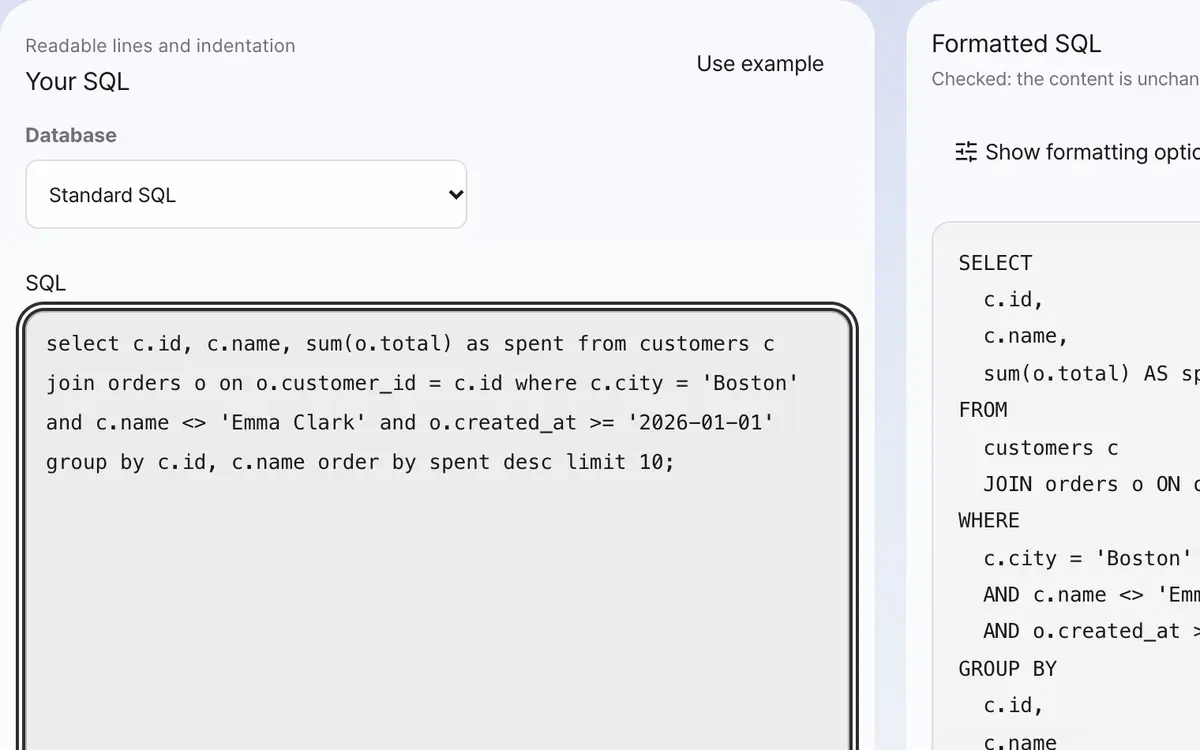
Paste your SQL
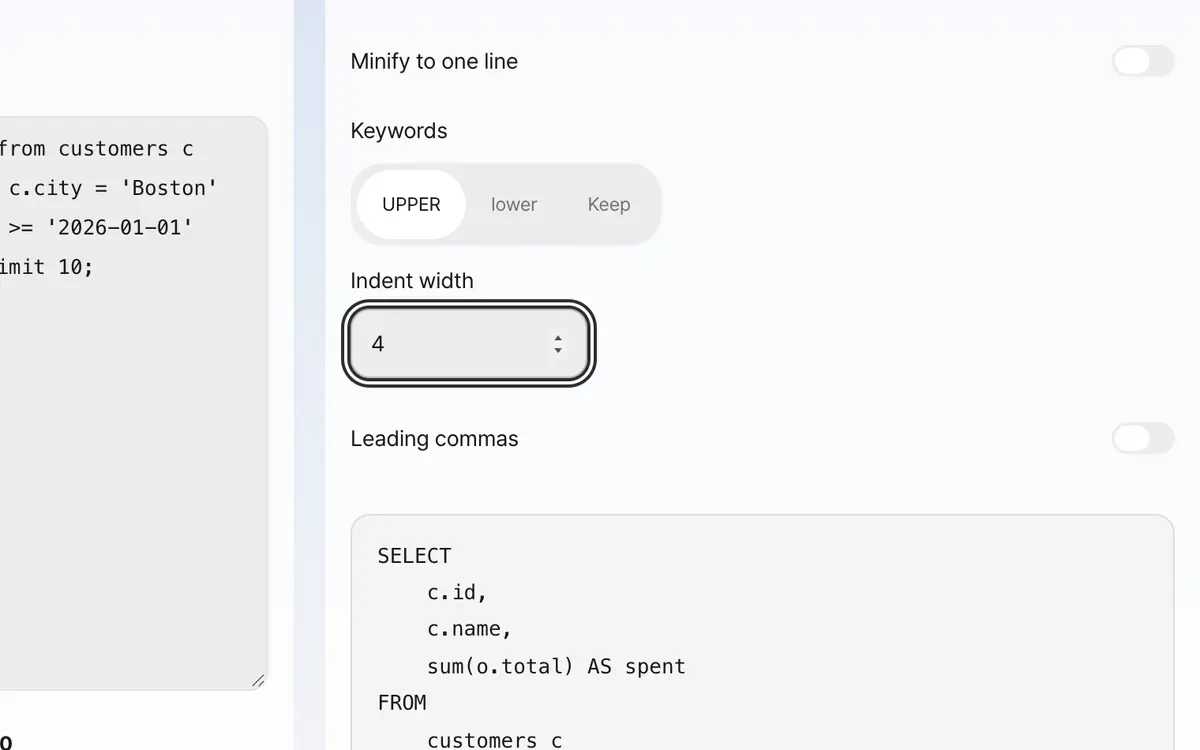
Choose keyword case and indentation
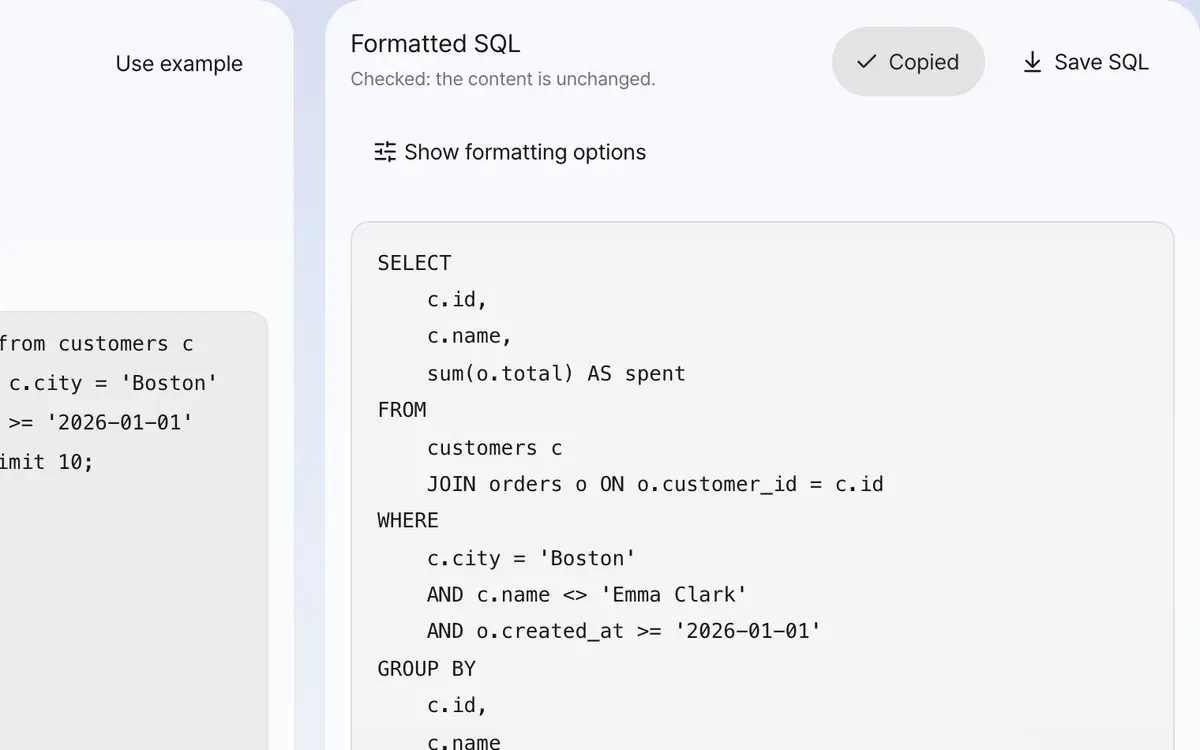
Copy the formatted result
Paste your SQL
It's fine if it is all on one line. You can also paste several statements joined with semicolons as they are.
Set the database and keywords
Choose the database you use and it reads the query with that grammar. Choose keywords as UPPER, lower, or Keep, and set the indent width. You can also put commas at the start of lines.
Check that the content is unchanged
If "Checked: the content is unchanged." appears above the result, the substance has not changed. If it says the content changed, don't use that result.
Copy or save
You can copy the result or save it as a .sql file.
What it’s good for
What is inside strings and comments is left untouched
Swapping parts of a query with regular expressions also changes a select or semicolon that sits inside a string, which breaks the query. This tool splits the query into tokens with the widely used sql-formatter engine and then reassembles it, so it knows exactly where strings and comments begin and end. It also recognizes quotes escaped by doubling a single quote, dollar-quoted strings, and names wrapped in double quotes, backticks, or square brackets as a whole.
It checks for itself that the content is unchanged
Tidying only changes line breaks, indentation, and the case of keywords, so the substance must stay the same. This tool compares the tokens before and after formatting to confirm they match and shows the result on screen. If they ever differ, it clearly tells you not to use the result.
Worked examples
Expanding a one-line query
select a,b from t where x=1 order by aSELECT
a,
b
FROM
t
WHERE
x = 1
ORDER BY
aInside a string stays as is
select 'select * from users' as tSELECT
'select * from users' AS tWhat changes and what stays
Swipe the table sideways to see the rest.
| Item | Handling | Why |
|---|---|---|
| Line breaks and indentation | Changed | Making it easy to read is this tool's job. |
| Keyword case | Changed as you choose | SQL doesn't care about keyword case. |
| Case of names | Left as is | For names wrapped in quotes, case changes the meaning. |
| Inside strings and comments | Left as is | Changing even one character changes the result. |
When the result isn’t what you expected
It says it couldn't read it with the grammar
The query may mix in notation that differs from the grammar of the database you chose. Try changing the database, for example backticks (`) for MySQL, square brackets ([ ]) for SQL Server, and # comments for MySQL. Minifying to one line works regardless of the database.
It says the parentheses don't match
The query itself has unmatched parentheses. It doesn't fix them and formats it as it is, so please check the result.
It says the content changed
That is a problem with this tool. Don't use that result; use your original. If you tell us which query it was, we will fix it.
I don't want it changed to uppercase
If you set keywords to "Keep," the case of the original text is kept.
Key terms
- Token
- A unit a query is split into, such as words, strings, and comments.
- Dollar quoting
- A string wrapped in $$. You can freely put quotes inside.
- Keyword
- A word SQL has reserved, such as SELECT and FROM.
- CTE
- A temporary result set that begins with WITH.
SQL Formatter FAQ
Which database's SQL does it support?
You can choose from standard SQL, MySQL, PostgreSQL, Oracle (PL/SQL), SQL Server (T-SQL), and SQLite. It reads the query using the grammar of the database you choose, and leaves MyBatis #{…} and ${…} placeholders as they are.
Does it also tell me if the query is wrong?
If it can't read the query with the grammar of the database you chose, it tells you, and it also tells you if parentheses or quotes don't match. It does not fix them for you.
Is my query uploaded to a server?
No. It is formatted only inside this browser. You can paste queries that contain real data as they are.
Does it format a query with wrong syntax?
If it can't read the query with the grammar of the database you chose, it doesn't format it and tells you. That is better than forcing line breaks and changing the meaning. Minifying to one line can still be used as it is.
Can I put in several statements at once?
Yes. It splits at each semicolon and separates them with blank lines.
What happens to comments when I minify to one line?
Comments are not deleted. However, it always starts a new line after a line comment. Otherwise whatever comes after would be swallowed by the comment and break the query.