Date Poll
Pick candidate dates, share a link, let everyone mark the days they can make and see the overlap. No login; polls are deleted after 60 days.
Loading the tool…
User reviews
No reviews yet. If you’ve used this tool, be the first to leave one.
Date Poll: complete guide
Walk through the steps and examples, or jump straight to the topic you need.
At a glance
- What you create
- A meeting name and 2 to 20 dates to choose from.
- What you answer
- Your name and the dates that work. You can choose several.
- Login
- None. Anyone who knows the link can answer.
- What's visible
- Everyone who receives the link can see all names and answers.
- What's stored
- Only names and the dates chosen. No access logs are kept.
- When it's deleted
- The whole poll is deleted 60 days after it was created.
- Limits
- 60-character title, 20-character names, 200 people per poll. The server enforces the same values.
How to use Date Poll
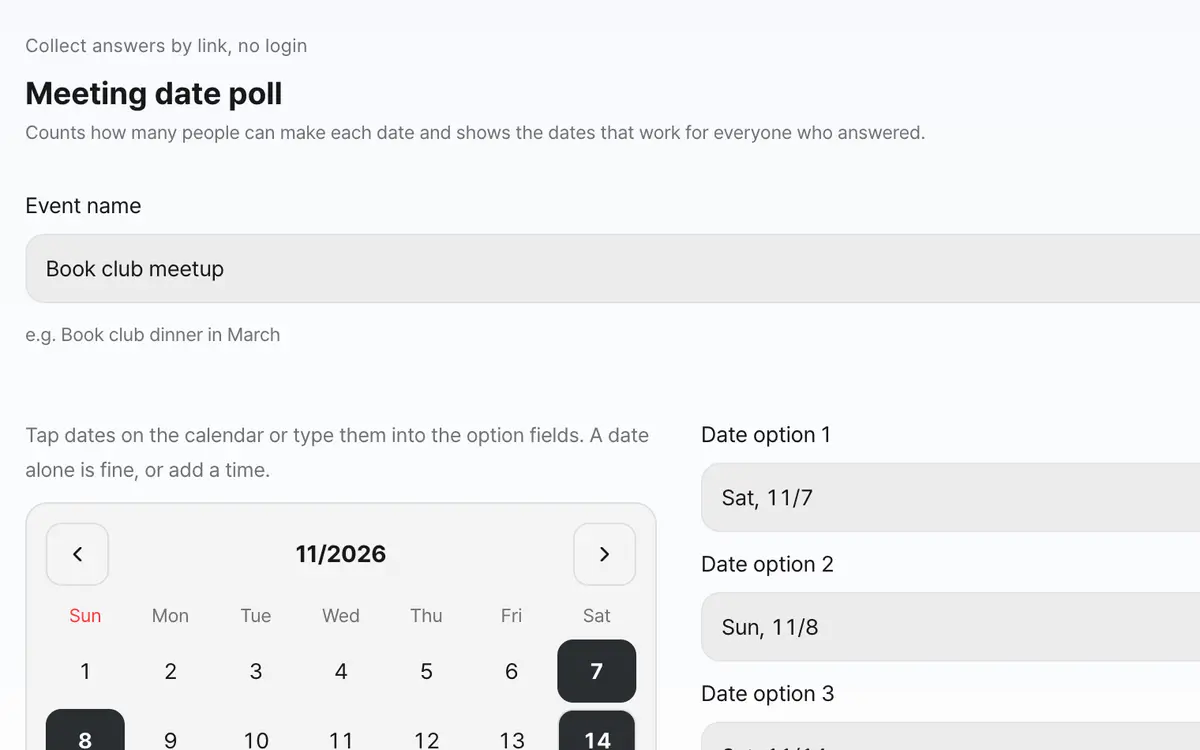
Enter the event name and the dates to choose from
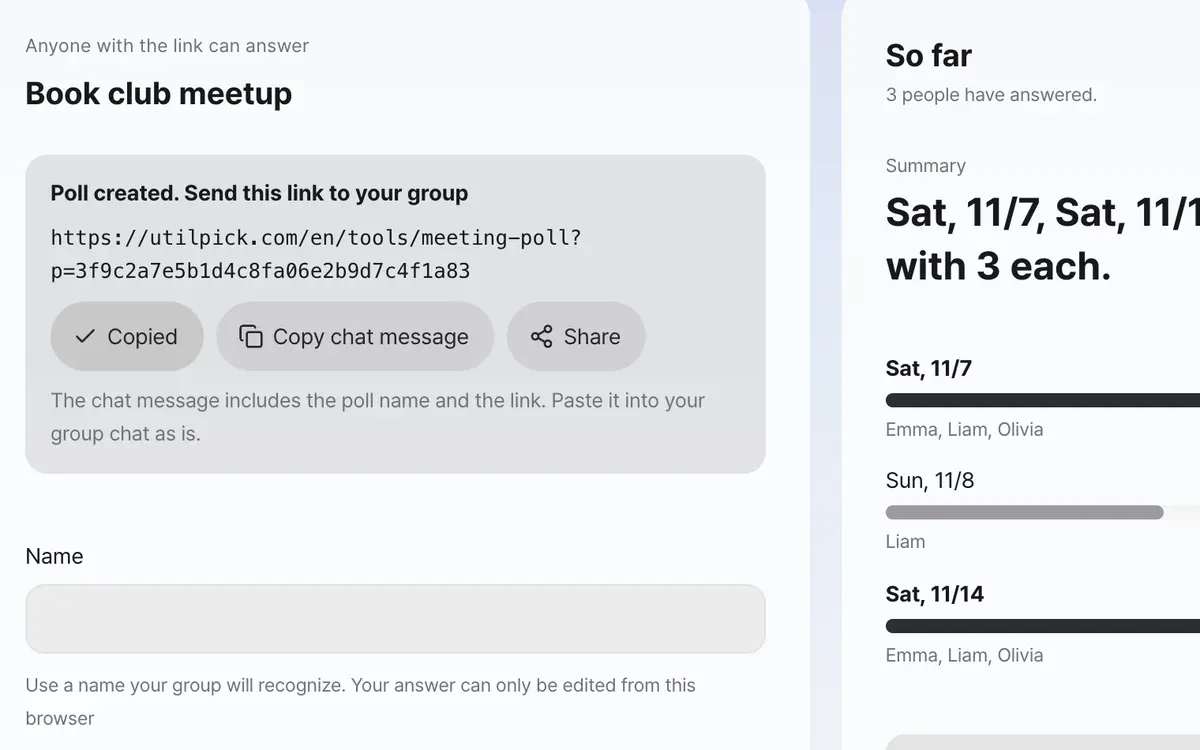
Send the link to everyone
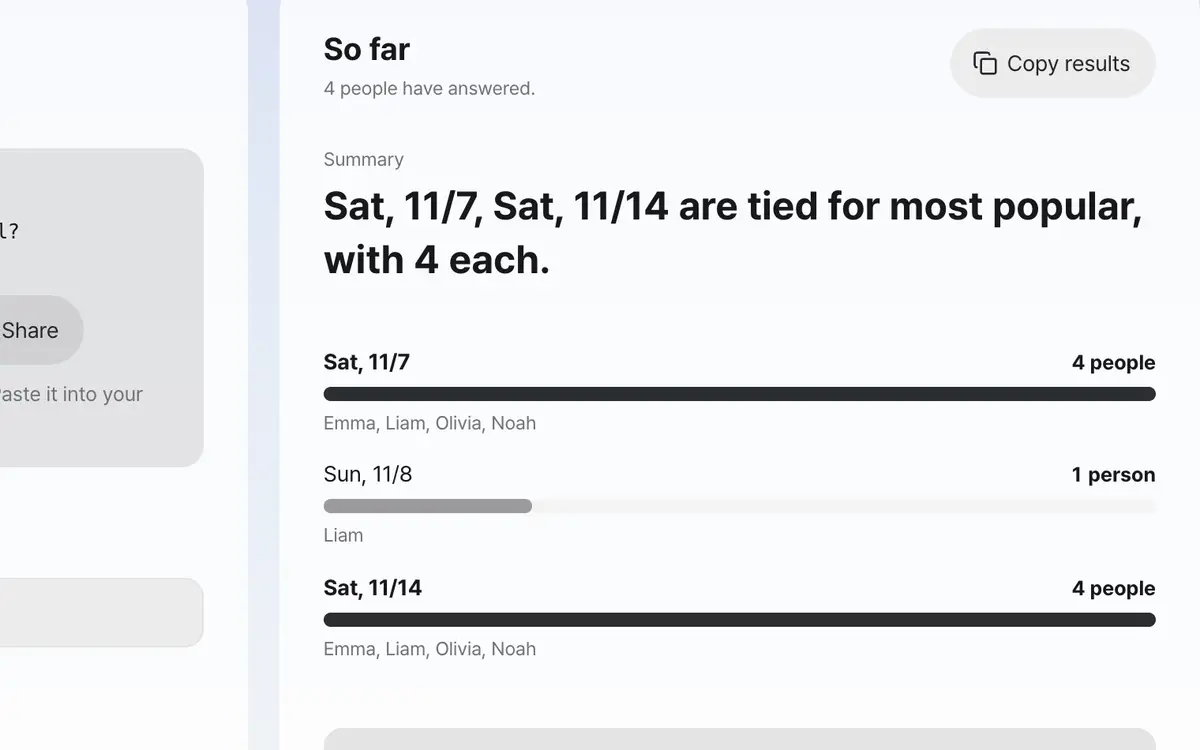
Check how many can make each date and which dates work for all
Write the meeting name and dates
You can write just the date or include the time. Write them so people can recognize them at a glance.
Send the link
A link appears when you create it. This link is the key, so anyone who receives it can answer.
Each person chooses the dates that work
You can choose several; if none work, send without choosing anything.
Check the results
Along with the number of people per date, it separately shows the dates that work for everyone who answered.
What it’s good for
The link is the key
It doesn't require a login. Anyone who receives the link can answer right away, and in return anyone who knows the link can see other people's names and answers. This is stated in both places, before creating and before answering. If you're uncomfortable using your real name, use a nickname.
The server enforces the limits
If limits such as a 60-character title, 20 dates, 20-character names and 200 people per poll were enforced only on screen, they could be bypassed by calling the function directly. So the same values are also built into the database function. If an option number is out of range the server discards it, and there is no way at all to read or write votes directly.
It keeps as little as possible
Nothing is stored except the name and the dates chosen. No access logs or identifiers are kept, and after 60 days the whole poll is deleted. There is no separate delete feature because anyone who knows only the link would then be able to delete someone else's poll.
Worked examples
When three people answered
14th evening · 15th lunch · 15th evening
A: 14th evening, 15th evening
B: 15th evening
C: 15th lunch15th evening 2 people ←
14th evening 1 person
15th lunch 1 personA person for whom no date works
C: sent without choosing anythingNo dates work: CWhat is visible and what isn't
Swipe the table sideways to see the rest.
| Item | Visible? | Note |
|---|---|---|
| Names and dates chosen | Visible | Visible to everyone who receives the link. |
| People who haven't answered | Can't be known | Only people who answered are counted. |
| Who visited and when | Not kept | It isn't stored. |
When the result isn’t what you expected
It says the poll can't be found
The link was cut off or the poll was deleted after 60 days. Ask the person who made it for the link again.
I sent the wrong answer
If you send again with the same name from the browser you first answered with, your earlier answer is replaced. Letter case and leading or trailing spaces in the name are ignored and treated as the same person. A name someone else already used isn't accepted, to protect that person's answer, so add some characters after the name.
I want to delete the poll
There is no delete feature, because anyone who knows only the link would then be able to delete someone else's poll. It disappears on its own after 60 days.
Key terms
- Dates that work for everyone
- Dates chosen by every person who answered.
- No dates work
- A person who answered but chose none of the dates.
Date Poll FAQ
Can I change my answer?
If you send again with the same name from the browser you first answered with, your earlier answer is replaced. When you answer, a random key is saved in your browser, so even if someone else types the same name, they can't change your answer. You can't edit from another device or a browser whose data was cleared, so answer with a new name.
Can I set a deadline?
If you choose a deadline for answers when creating the poll, no answers are accepted after that and only the results are shown. If left blank, answers are accepted for 60 days.
What if none of the dates work for me?
Just send without choosing anything. It is marked separately as having answered that none work.
Does it count people who haven't answered yet?
No. Only people who answered are counted. To know whether everyone answered, check the number of people yourself.
Can I set the number of people in advance?
No. Only people who answered are counted, so you have to check yourself whether everyone answered.
Can it be a secret ballot?
No. Everyone can see who chose which date.
Do I need to write anything besides my name?
No. Only the name and dates are collected. Please don't write things like contact details.