Stamp Maker
Make a personal name seal or a company seal and save it as a transparent PNG or SVG. Your name is never sent to a server.
Loading the tool…
User reviews
No reviews yet. If you’ve used this tool, be the first to leave one.
Stamp Maker: complete guide
Walk through the steps and examples, or jump straight to the topic you need.
At a glance
- Name
- For a name stamp, enter 1 to 8 characters of Hangul, Hanja, Latin letters or digits with no spaces. A round company seal takes a company name of 2 to 20 characters and up to 6 characters in the middle; a square company seal takes up to 16 characters including the last character.
- Designs
- Start from 6 templates by purpose and adjust shape, layout, character size, spacing and border.
- Fonts
- Choose from 7 Korean (Hangul) fonts such as Chosun Centennial, Shilla Culture, Deogon Princess and Griun x Hangeul Museum Songle Script, or a Hanja font (Noto Serif KR, 4,888 Hanja), or load your own TTF or OTF file.
- Colors
- Crimson, navy and ink black are available.
- Download
- Save as a transparent PNG at 512px, 1,024px or actual size (mm) at 300dpi, or as an SVG with the character shapes as outlines. Choose relief or intaglio (ink fills the background).
How to use Stamp Maker
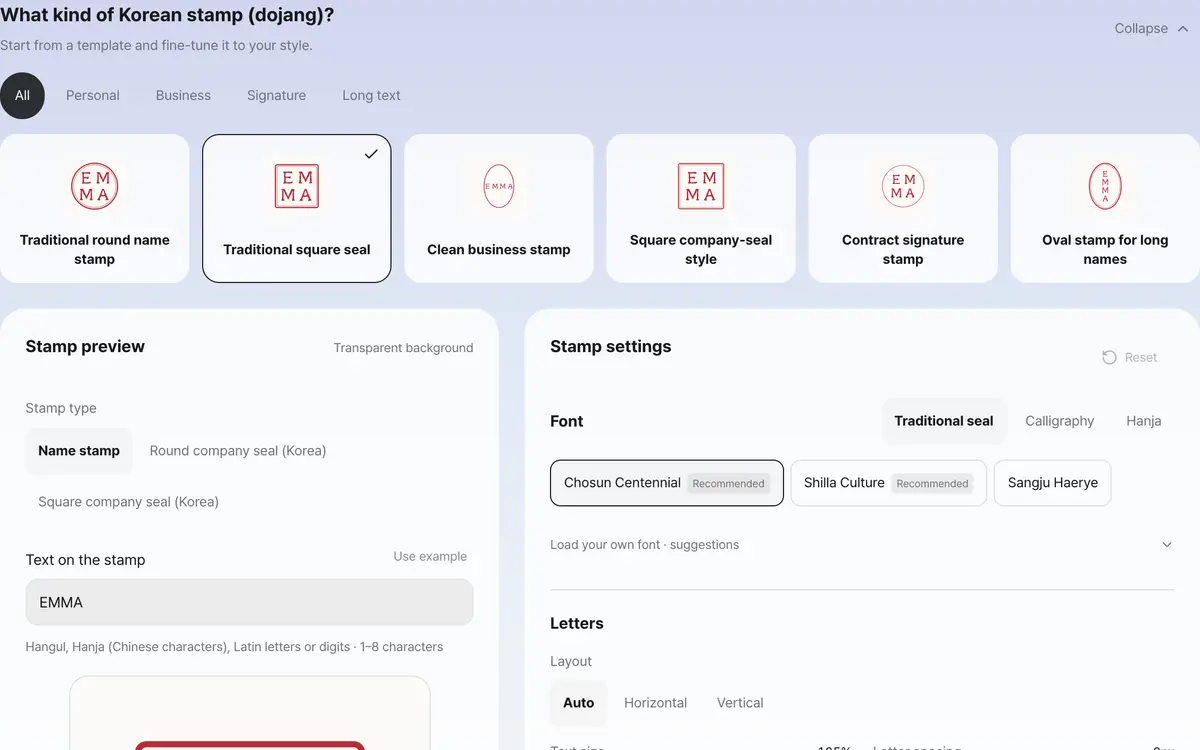
Enter a name and pick a template
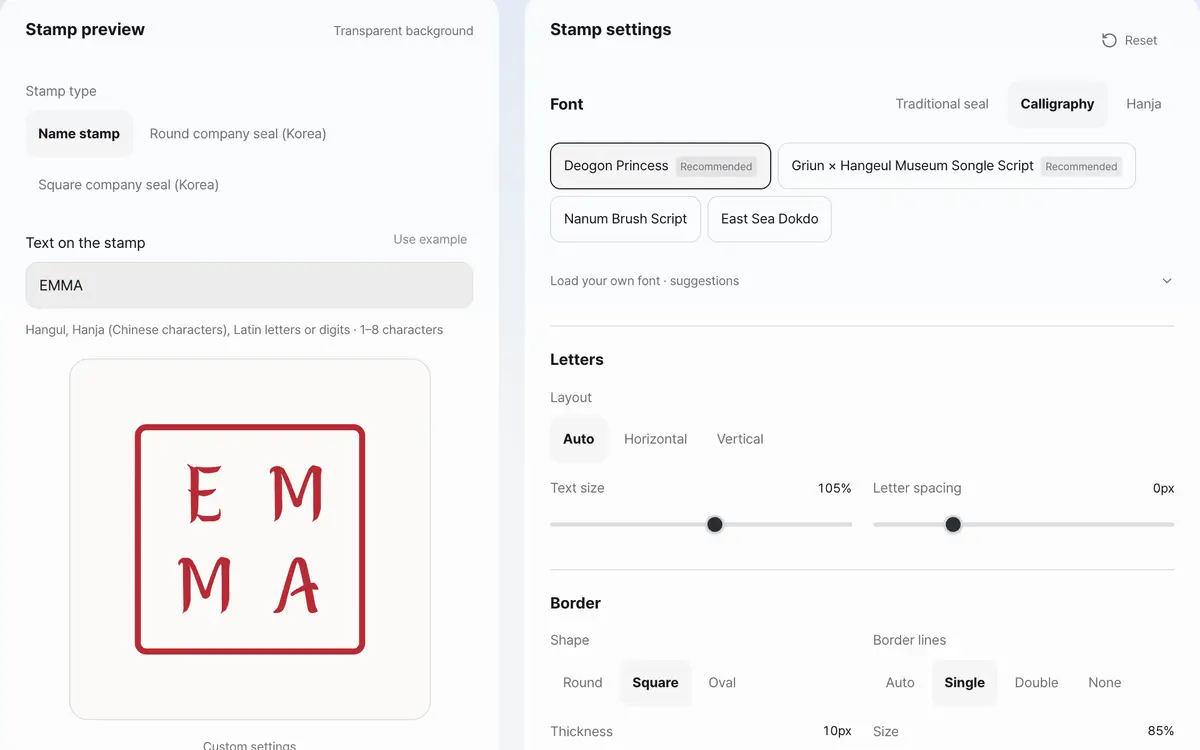
Adjust the font, layout and border while watching the preview
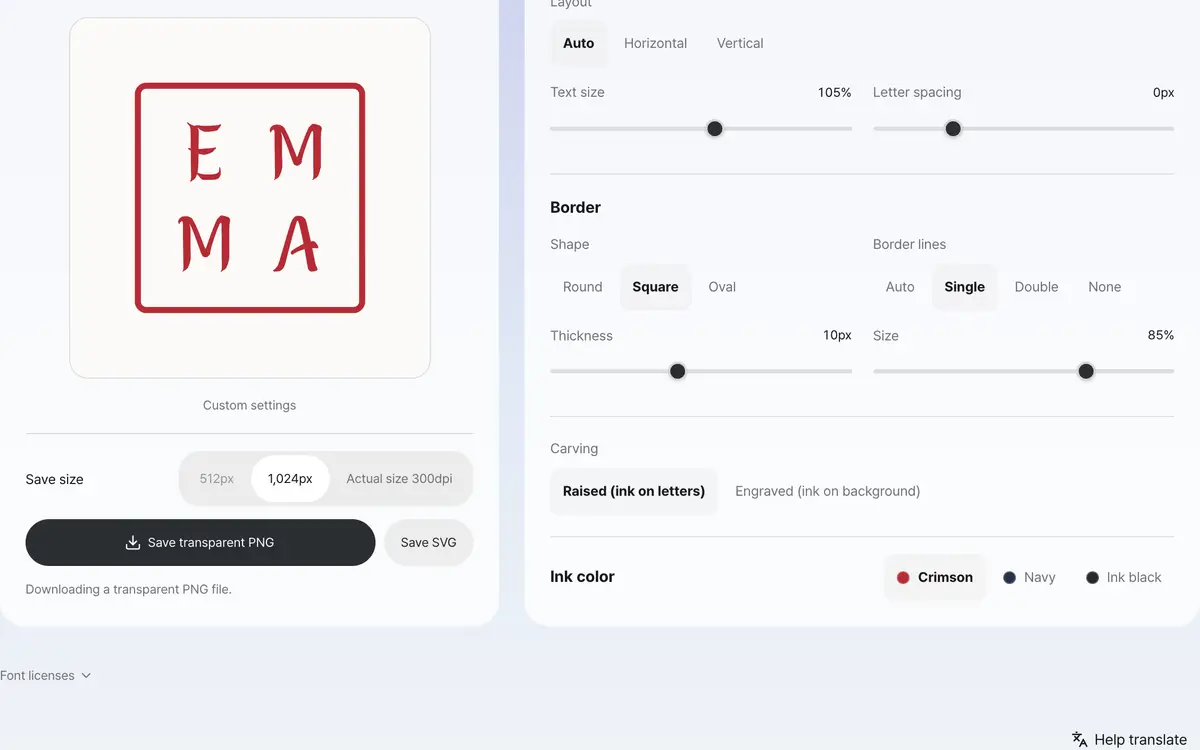
Save a transparent PNG or SVG
Enter a name
Enter the name or phrase you want to use and choose a font. Clicking a template by purpose keeps the name and font and applies the layout settings.
Adjust the layout and border
Watching the preview, choose round, square or oval and a horizontal or vertical layout. You can adjust character size and spacing, border thickness and size, and a single line, double line or none. Characters that grow too large are fitted inside the stamp.
Choose a color and size
Compare the ink color with the actual document background. PNG is saved as a 512px or 1,024px square, or at actual size (mm) at 300dpi. A 300dpi PNG is placed at the size you set when inserted into a document.
Insert the transparent image
Insert the PNG with your document editor's insert picture function and adjust its size. SVG holds the character shapes as outlines, so it displays without installing a font. This feature only makes a stamp picture; it does not certify identity or a registered seal.
What it’s good for
Enter a name and choose a stamp shape
Enter 1 to 8 characters in Hangul, Hanja, Latin letters or digits, and start from a template for a personal, business, signature or long-phrase stamp. If you need a company stamp, choose a Round company seal (Korea), with the company name around the edge and the representative's seal in the middle, or a Square company seal (Korea) under Stamp type. Pick round, square or oval, horizontal or vertical layout, then adjust character size and spacing, border thickness and size, and the preview updates right away. Changing the template keeps the name you entered and the font you chose.
Save a transparent stamp image for documents
PNG is saved at 512px, 1,024px or actual size (mm) at 300dpi, with a transparent background. A PNG or SVG saved at 300dpi is placed at the size you set when you insert it into a document editor. You can also choose an intaglio style, where the ink fills the background. SVG saves the outlines of the characters as shapes, so the chosen look is kept even without the font installed. Seal-script or calligraphy fonts you have permission to use can be loaded directly as TTF or OTF files, and the files are not sent to a server.
Worked examples
PNG of a three-character name
洪吉童 - round - crimson
PNG 1,024px1024 x 1024px transparent PNG
First line 洪, next line 吉 and 童Vertical SVG with six characters
ABC123 - oval - navy
Save SVGA -> B -> C -> 1 -> 2 -> 3 in a vertical arrangement
SVG containing the character outlinesHow to choose for your task
Swipe the table sideways to see the rest.
| Choice | When to use | What to check |
|---|---|---|
| PNG 512px | Documents where it goes in small | Pixels can show if you enlarge it a lot. |
| PNG 1,024px | Documents where you need room to resize | Insert it into apps that support a transparent background. |
| SVG | Vector editing | Letter shapes are kept; to retype the characters after saving, make a new one in this tool. |
When the result isn’t what you expected
I cannot save
Check that the name is not empty or longer than 8 characters. Remove spaces and symbols and enter it again, and the design and the save button update.
It looks like a white background
The PNG itself has a transparent background. Some viewers show transparent areas as white, so place it on a different colored background to check.
It cannot be shown in the chosen font
If the font does not have a character, you are told before saving. Choose another font or load a TTF or OTF file that includes the characters your name needs. If a font could not be loaded, you can try again.
Key terms
- Transparent background
- The document background shows through wherever there are no lines or characters.
- Vector
- A picture described by shape information such as lines and letters.
Stamp Maker FAQ
Is my name saved on a server?
The name you enter is used only to draw the stamp image in this browser and is never sent to a server or saved.
Is it saved without a background?
Both PNG and SVG have a transparent background. The light cyan background on screen is not included in the downloaded file.
Does it support handwritten signatures or seal registration?
This tool turns a name into a stamp-style image. It does not include handwritten signature input or identity verification or seal certification.
Can I enter a long company name?
The current input limit is 8 characters. You need to enter a name or abbreviation that fits the limit.
Can I add other fonts?
You can change the provided fonts, or load a TTF or OTF file you have permission to use, up to 10MB. Seal-script and calligraphy fonts also work if they are in a supported format. The font file and name are used only inside the browser and reset when you refresh.